The Small Contractor's Guide to Automated Compliance: Why Excel is Killing Your Profit
In construction, "done" doesn't just mean the concrete is poured and the wiring is finished. It means every document is valid, verified, and audit-ready. Because one expired certificate can shut your entire job down.
DocShield Team
March 2026 • 12 min read
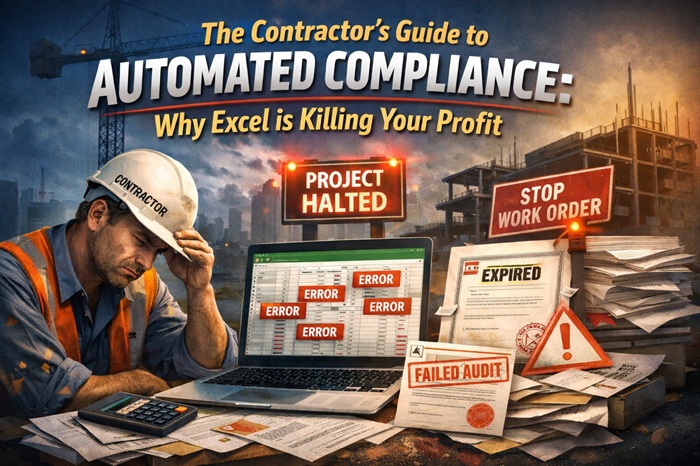
Walk onto almost any job site, and you'll see the same thing: a massive Excel file. Color-coded. Shared across the team. Supposedly "tracking everything."
It feels organized. Controlled. Good enough.
You've probably spent hours setting it up. Color-coded the rows. Added dropdown menus. Maybe even wrote some formulas. It feels like a system.
But here's the truth no one talks about: that spreadsheet is quietly draining your profit every single month.
The most dangerous part? Excel never fails loudly. It fails silently—until a client rejects your insurance, a permit expires, or an audit reveals gaps. And by then, it's already costing you thousands.
Real Talk
Excel is not a compliance system. It's a manual memory tool—and memory fails under pressure.
Expired Certificates of Insurance (COIs), missing permits, outdated licenses… These are not small mistakes. They are:
- Project delays — Work stops until valid documents are provided
- Failed inspections — Permits expired = inspection failed = rework needed
- Payment holds — GCs legally withhold payment without valid COIs
- Legal exposure — No insurance proof = personal liability for accidents
And they almost always start with the same six words: "We thought it was still valid."
1. The Invisible Cost of the Spreadsheet Method
You think Excel is free? Let's break that illusion—because the true cost is hiding in plain sight.
The Hidden Labor Cost
A typical project manager spends 5–10 hours every month chasing updated COIs, verifying permit expirations, and manually editing cells. That's not "real work"—that's administrative overhead that adds zero value to your projects.
Monthly labor waste (per PM)
10 hrs × $75 = $750
That's a new iPhone every month. Just on document hunting.
Annual cost per PM
$9,000
…and that's before any delays or penalties
Now multiply that by multiple projects and multiple team members. You're easily burning $15,000–$40,000 per year just managing documents. That's money that could be going into equipment, training, or—let's be honest—your pocket.
The Bigger Problem: It Scales Linearly (Not Exponentially)
Here's what Excel advocates don't tell you: Excel scales linearly. Double your projects? Double your admin time. Triple your subcontractors? Triple your spreadsheet chaos.
Excel works fine for two projects. At ten projects? It becomes a nightmare. At twenty projects? It's not just inefficient—it's a liability.
The math doesn't lie:
- 2 projects → 5-10 hours/month admin time → manageable
- 10 projects → 25-50 hours/month admin time → someone's full-time job
- 20 projects → 50-100 hours/month admin time → dedicated admin + risk of burnout
The Real Financial Risk (Beyond Admin Costs)
Industry data shows manual document tracking increases compliance costs by 2.3–4.7×, creates error rates of 1–4%, and raises audit failure risk by over 300%.
And all it takes is ONE miss. One expired COI. One missing permit. One outdated license.
Real scenarios we've seen:
Result: $5,000–$50,000 in losses, delayed payments, and lost trust with clients—all from one missed expiration in a spreadsheet.
Excel doesn't fail loudly. It fails silently—until it's expensive. By the time you realize something expired, the damage is already done.
The Hidden Cost No One Calculates:
Beyond direct financial losses, manual tracking creates opportunity costs. Every hour your PM spends chasing documents is an hour NOT spent on: managing schedules, solving field problems, building client relationships, or bidding new work. Over a year, that's 120-240 hours of lost productive time—equivalent to 3-6 weeks of work per PM.
Now multiply that by multiple projects and multiple team members. You're easily burning $15,000–$40,000 per year just managing documents.
The Bigger Problem: It Scales Linearly
More projects don't mean more efficiency. They mean more chaos. Excel works fine for two projects. At ten projects? It becomes a nightmare.
The Real Financial Risk
Industry data shows manual document tracking increases compliance costs by 2.3–4.7×, creates error rates of 1–4%, and raises audit failure risk by over 300%.
And all it takes is ONE miss. One expired COI. One missing permit. One outdated license.
Result: $5,000–$50,000 in losses, delayed payments, and lost trust with clients.
Excel doesn't fail loudly. It fails silently—until it's expensive.
2. Why Manual Systems Collapse as You Scale
Excel works… until it doesn't. And when it fails, it fails spectacularly—often at the worst possible moment.
No Proactive Intelligence
Excel never says: "Your subcontractor's insurance expires next week." You only find out when it's already expired.
Version Chaos
"final_v2.xlsx", "final_v3_updated.xlsx", "FINAL_MASTER_REAL.xlsx" — nobody knows what's correct anymore.
The Email Black Hole
Hunting for one PDF across 500 emails wastes hours every week. And you usually get the wrong version anyway.
But That's Just the Beginning...
No Team Visibility
Only one person knows how to read the spreadsheet. When they're on vacation or sick, everything stops. Updates get missed. No one trusts the data.
No Audit Trail
Who changed that date? When was that COI updated? Did the GC approve that version? Excel doesn't track any of this.
No Real-Time Status
The spreadsheet you're looking at is probably already outdated. Someone else updated their copy. Someone else deleted a row. No one knows the truth.
Real Example: What Excel "Success" Actually Looks Like
A mid-sized contractor was proud of their "sophisticated" Excel system. It had color coding. It had formulas. It had dropdown menus.
But when a major client requested compliance documentation for 15 subcontractors, the team spent 3 full days pulling files from emails, verifying dates, and cross-referencing spreadsheets. The client was frustrated. The PM was exhausted. And they still missed one expired COI—which delayed the project by another week.
The cost? $12,000 in labor + $8,000 in penalties + damaged client relationship. All from a "free" spreadsheet.
The spreadsheet wasn't the problem. The lack of automation was the problem.
Excel Promises vs. The Reality
| What Excel Promises | The Reality | What You Actually Need |
|---|---|---|
| "Free and simple" | Costs $15k–$40k/year in hidden labor + risk exposure | Transparent, predictable pricing ($69/month) |
| "Anyone can use it" | One person becomes the spreadsheet gatekeeper. When they're out, chaos ensues. | Team collaboration with role-based access. Everyone sees the same data. |
| "It works for us" | Works until it doesn't. The first major audit or missed expiry reveals all the gaps. | Works consistently, every day. Automated alerts prevent problems before they start. |
| "We can track anything" | You can track it, but you'll never be reminded. Expiry dates are just numbers in cells. | Proactive alerts at 30/15/7/1 days before any document expires. |
The Breaking Point: When Does Excel Actually Fail?
From our experience working with hundreds of contractors, Excel works fine until one of these happens:
If any of these sound familiar, your spreadsheet is already failing—you just haven't felt the pain yet.
Small errors stack up. Wrong file. Wrong date. Missing approval. And suddenly, your project is exposed—not because you did bad work, but because your document system couldn't keep up.
The truth: Excel doesn't fail because it's bad software. It fails because it was never designed for compliance tracking. It was designed for numbers—not deadlines, not expiry dates, not audit trails.
Small errors stack up. Wrong file. Wrong date. Missing approval. And suddenly, your project is exposed.
3. The Shift: From Tracking Files → Managing Risk
This is where most tools get it wrong—including Excel, Google Drive, and even some expensive "construction software."
Most tools focus on storage and organization
Better folders. More categories. Nicer icons.
But storage doesn't solve the real problem. You can organize chaos—it's still chaos.
What contractors actually need: visibility + prediction + control
Not just knowing where files are. Knowing:
- What's expiring soon (before it's too late)
- Which projects are at risk right now
- What documents are missing before the audit
- What will happen in 30 days (prediction, not reaction)
This is where compliance intelligence comes in.
What is Compliance Intelligence?
Compliance intelligence is the shift from passive storage to active risk management. It's the difference between:
- You store files. That's it.
- No alerts. No reminders.
- You check manually—or not at all.
- Problems found after they happen.
- Excel, Google Drive, Dropbox
- System tracks expiry dates automatically
- Proactive alerts at 30/15/7/1 days
- Real-time compliance dashboard
- Problems predicted before they happen
- DocShield compliance platform
The Three Pillars of Compliance Intelligence
1. Visibility
Know exactly what's happening across all projects—instantly. No more digging through files or asking "Did anyone check that COI?"
2. Prediction
Don't just react to problems—anticipate them. Know which documents will expire next week, next month, and what that means for your compliance score.
3. Control
Take action before problems happen. Renew documents, update records, and prove compliance—all from one dashboard.
Why This Shift Matters for Your Business
When you move from tracking files to managing risk, everything changes:
Think of it this way:
Storage tools (Excel/Drive)
Are like having a fire extinguisher in the building. Good to have—but you only use it after the fire starts.
Compliance Intelligence (DocShield)
Is like having a smoke alarm + sprinkler system. It warns you before the fire happens—and can even prevent it.
One system reacts to problems. The other prevents them. Which would you rather have protecting your projects?
This shift—from tracking files to managing risk—is the difference between:
- Finding out about expired documents when it's too late vs. getting alerts before problems happen
- Scrambling during audits with panic vs. staying audit-ready with confidence
- Losing projects because of paperwork vs. winning bids because of reliability
And it's exactly what DocShield was built to deliver.
Next, we'll show you exactly how Compliance Intelligence works in practice—and why it's already helping contractors save thousands.
4. The Modern Solution: Compliance Intelligence (The DocShield Way)
DocShield is not just storage. It's a system designed to answer one question: "Are we safe right now?"
A. Your Project's Vital Signs — Compliance Score
Instead of checking 50 documents manually, you see one clear number: 92% — Safe. Or 68% — At Risk. No guesswork. No digging through files. No assumptions.
B. Prediction, Not Reaction
Most systems tell you: "It expired." Too late. Damage done.
DocShield tells you: "In 14 days, your project health will drop from 92% to 78% because 2 COIs are expiring."
You move from reacting to problems to preventing them before they impact your projects.
C. Real-Time Dashboard with Live Updates (SSE)
No more "Is this spreadsheet still current?" questions. DocShield uses Server-Sent Events (SSE) to push live updates to your dashboard.
When someone uploads a document or a status changes, your dashboard updates instantly — without refreshing the page.
D. Automated Email Alerts (Never Miss a Deadline)
Let's be honest: you don't check dashboards every day. But you DO check your email.
DocShield sends automated email reminders at 30, 15, 7, and 1 day before any document expires — directly to your inbox.
E. Client Portal — Share Compliance Instantly
Stop emailing PDFs back and forth. Stop explaining compliance status over the phone.
DocShield generates secure, token-based client portals for each project. Share a link — clients see their compliance status in real-time, without logging in.
F. Team Collaboration with Role-Based Access
Your compliance shouldn't depend on one person's spreadsheet. Invite your team with role-based permissions.
Owner
Full access
Admin
Manage team & docs
Editor
Upload & edit docs
Viewer
Read-only access
G. Smart Document Organization & Expiry Tracking
Upload any document — COIs, permits, licenses, contracts, safety certs. DocShield automatically tracks:
H. Complete Audit Trail & Activity Log
When auditors ask "Who changed that date?" or "When was that document uploaded?" — you have answers.
DocShield tracks every action:
The DocShield Difference
While other tools give you more folders and complicated workflows, DocShield gives you:
All for a flat $69/month — no per-user fees, no hidden costs.
5. You Don't Need an Enterprise ERP to Be Professional
There's a myth in construction: "If we move beyond Excel, we need a big system." That usually means complex tools, long setup, and high cost.
But here's the reality: most small contractors don't need enterprise software. They need simplicity, speed, and clarity.
| Process | Excel (Manual) | DocShield (Automated) |
|---|---|---|
| Time spent | 10+ hrs/month | < 30 min/month |
| Error risk | High (1–4%) | Near zero |
| Proactive alerts | None | WhatsApp + Email |
| Visibility | Manual digging | Real-time dashboard |
| Setup time | DIY chaos | 5 minutes |
DocShield is built for small contractors—not enterprise teams.
6. ROI: The Switch Pays for Itself in Weeks
Let's break down the numbers. No fluff. Just math.
$2,000+
Saved by preventing
ONE work stoppage
$750
Saved every month
in admin hours (per PM)
$69
Monthly flat price
of DocShield
$750
$2,000+
$69
$2,681+
Where the savings come from
- Manual document tracking time 10-20 hours/month → $750-$1,500 saved
- Preventing work stoppage (1x/year) $2,000-$50,000 avoided
- Avoiding compliance penalties $5,000-$25,000 avoided
- Reducing audit preparation time 5-10 hours/month → $375-$750 saved
Real contractor results
- Admin time reduction -87%
- Missed COI expiration -100% (zero lapses)
- Audit response time From days → minutes
- Client confidence improvement +73%
Long-term ROI Calculation
1 year with DocShield
$828
($69 × 12 months)
Potential savings (conservative)
$15,000+
(One prevented delay + admin savings)
ROI
18x
Return on investment
Net savings: $2,500+ per month
That's not software. That's risk protection for your business.
14-day free trial • No credit card required • Cancel anytime
"We were skeptical about another software subscription. But after seeing how much time we wasted on spreadsheets, DocShield paid for itself in the first month—just from the admin hours saved. The real value came when we avoided a $15,000 compliance penalty because we got an alert before a COI expired."
— Operations Director, Regional Construction Group
Saved: $15,000+ in first 90 days
Setup in 5 minutes • Flat $69/month • Cancel anytime
7. The Real Benefit: Peace of Mind
This is what most tools don't talk about.
With automated compliance, you don't worry about audits. You don't scramble for documents. You don't chase your team. You know everything is tracked, everything is valid, and everything is under control.
That's what professionals actually pay for.
Ready to Put Compliance on Autopilot?
Stop relying on spreadsheets that break under pressure. Start using a system that tracks everything, alerts you before problems happen, and keeps you audit-ready 24/7.
Start Your Free Trial →No credit card required • Setup in 5 minutes • Built for contractors
Because in construction, missing paperwork isn't a small mistake. It's a profit killer.